What performance marketing means
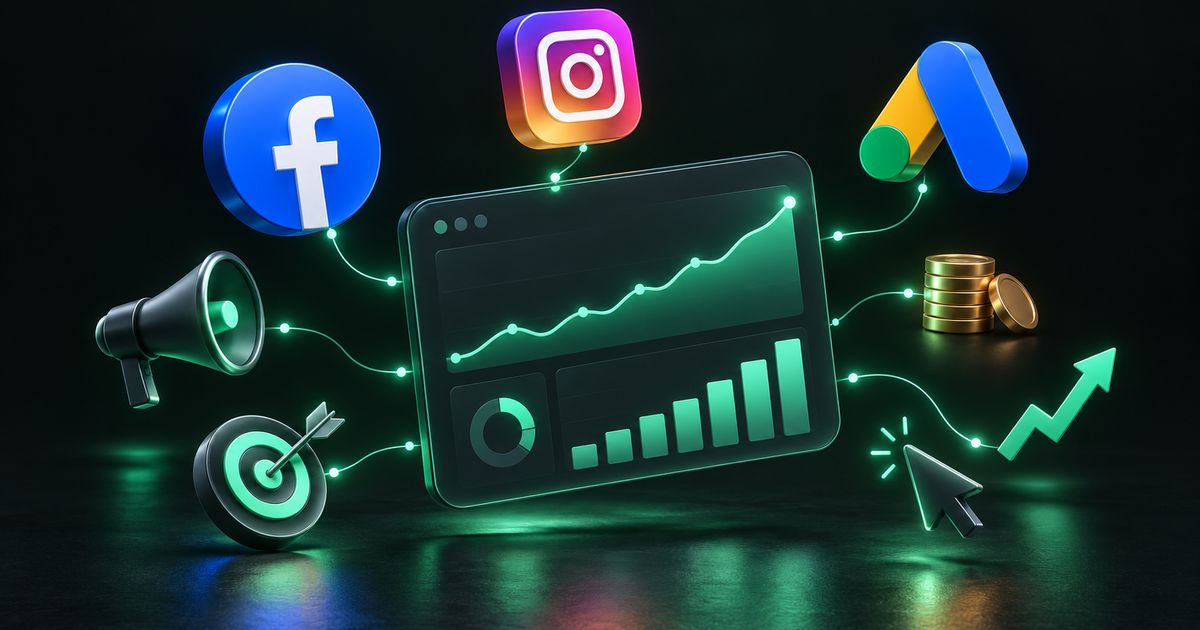
Performance marketing is paid advertising judged by measurable business results: enquiries, qualified leads, sales, bookings or app actions. Instead of paying for exposure and hoping it works, you track what each campaign produces and move money toward what works.
The main channels are Meta (Facebook and Instagram), Google (Search, Display, Shopping and YouTube) and LinkedIn for business-to-business audiences. Each has its own strengths, but the discipline is the same everywhere: a clear objective, accurate tracking, relevant creative, a landing page that converts, and steady optimisation based on data rather than opinion.
Why businesses use paid ads
- Speed: organic search and social growth take months; a well-set-up campaign can start producing enquiries soon after launch.
- Control: you choose the audience, location, budget, schedule and message, and can pause or change them at any time.
- Measurability: with proper tracking you can see cost per lead or cost per sale, not just clicks.
- Scalability: when a campaign is profitable, budget can be increased gradually to reach more of the same kind of buyer.
- Testing: ads are a fast way to test offers, prices and messages before committing to them elsewhere.
A dental clinic can target people searching for a specific treatment nearby. A D2C skincare brand can show products to people who viewed them but did not buy. A coaching institute can run admission campaigns for a fixed window around exam seasons. The same principles apply at every scale.
The main advertising channels explained
Meta Ads (Facebook and Instagram)
Meta ads reach people based on demographics, interests, behaviour and lookalikes of your existing customers. They are strong for creating demand: showing a product, offer or service to people who were not actively searching. Campaigns are managed in Meta Ads Manager, and results depend heavily on creative quality and on tracking feeding good data back to the platform.
Google Search Ads
Search ads appear when someone types a query into Google. They capture existing demand, which makes them valuable for services people look for when they need them, such as a lawyer, a plumber or a hospital. Success depends on keyword research, correct match types and a thorough negative keyword list so you do not pay for irrelevant searches.
Google Display, Shopping and YouTube Ads
Display ads appear on websites and apps in Google’s network; placement controls and exclusions matter so your brand does not appear on low-quality sites. Shopping ads show product images and prices and rely on a clean product feed in Google Merchant Center. YouTube ads range from short skippable videos to longer formats, and the first few seconds of the video largely decide whether it is watched.
LinkedIn Ads
LinkedIn lets you target by job title, seniority, industry and company size. Clicks there often cost more than on consumer platforms, but for B2B services, software and recruitment, reaching the right decision-maker can justify it.
Click-to-WhatsApp and app install campaigns
Click-to-WhatsApp ads open a chat instead of a website, which suits markets where customers prefer messaging. They work best when connected to WhatsApp automation that greets, qualifies and routes each enquiry. App install campaigns should be measured on what users do inside the app, such as sign-ups or purchases, not just on installs.
| Channel | Best at | Typical use |
|---|---|---|
| Meta (Facebook, Instagram) | Creating demand with visual creative | D2C products, local services, events, lead forms |
| Google Search | Capturing people already searching | Clinics, legal, home services, B2B enquiries |
| Google Shopping | Product discovery with price and image | E-commerce catalogues |
| Google Display | Visual reach and remarketing | Retargeting visitors, awareness |
| YouTube | Video storytelling and demonstration | Product demos, brand launches, education |
| Precise professional targeting | B2B services, software, hiring |
Campaign types and supporting services
Lead generation campaigns
These campaigns are built around cost per qualified lead, not raw lead volume. Cheap leads that never answer the phone are not cheap. Good lead campaigns add qualifying questions, send leads instantly to your CRM or WhatsApp, and trigger fast follow-up.
Retargeting and remarketing
Retargeting shows ads to people who already interacted with you: visited the site, watched a video, viewed a product or abandoned a cart. Because these people already know you, retargeting often converts well, but it only works when tracking is set up correctly.
Landing page and funnel setup
Ad traffic needs a fast, focused page that matches the ad’s promise. A funnel adds the steps after the first click, such as a thank-you page, confirmation message, reminder and follow-up. Our web development team builds these pages alongside the campaigns.
Ad creative and copy
Every campaign needs several creative and copy variants, because one ad is not a test. Different hooks, images, videos and headlines let the data show what resonates. See our graphic design and video editing services for creative production.
Audience research, A/B testing and budget management
Audience research works out who actually buys before spending money reaching everyone. A/B testing changes one variable at a time: creative, audience or landing page. Budget and bid management shifts spend toward the ad sets and keywords producing results, and away from the ones that are not.
Campaign audits and reporting dashboards
An audit reviews an existing account for wasted spend, broken tracking, poor structure and missing negatives, and ranks what to fix first. A reporting dashboard, often built in Looker Studio, combines all platforms into one live view in business language: spend, leads, cost per lead, sales and revenue.
Tracking: the foundation everything depends on
Without accurate tracking, optimisation is guesswork. Both you and the ad platforms need to know which clicks became leads and sales. Browser privacy restrictions and ad blockers mean browser-only tracking misses some conversions, which is why server-side methods have become standard.
- Meta Pixel and Conversions API (CAPI): the Pixel tracks actions in the browser; CAPI sends the same events from your server, so conversions are still recorded when the browser blocks the Pixel. The two are deduplicated using an event ID.
- Google Analytics 4 (GA4): records how visitors behave across your site, with key events marked for the actions that matter.
- Google Tag Manager (GTM): manages tracking tags in one place without editing site code for every change.
- Google Ads conversion tracking: tells Google which clicks produced results, which its bidding strategies rely on.
- Offline conversions: leads that close later, by phone or in person, can be uploaded back to the platforms so they learn which leads became real customers.
How a performance marketing engagement runs
- Goals and economics: define what a lead or sale is worth to you, and therefore what you can afford to pay for one.
- Audit or setup: review existing accounts, or create ad accounts, Business Manager, Merchant Center and access permissions in your name.
- Tracking: install and test Pixel, CAPI, GA4, GTM and conversion events end to end.
- Research: audiences, keywords, competitor messaging and offers.
- Creative and landing pages: produce multiple ad variants and a matching, fast landing page.
- Launch: start with a controlled budget and a clear campaign structure.
- Optimise: review search terms, placements, audiences and creative regularly; pause what fails and scale what works.
- Report: a regular plain-language report on spend, leads, cost per result, quality and next actions.
Expect a learning period at the start. Early results are data for decisions, not a final verdict. What matters is that each review leads to specific changes.
What drives the cost of paid advertising
There are two separate costs: the ad spend paid to platforms, and the management fee for the people planning and running campaigns. Keep them separate when comparing proposals.
- Competition in your industry: auction-based platforms charge more where many advertisers compete for the same audience or keyword.
- Number of platforms and campaigns being managed.
- Tracking complexity: server-side tracking, CRM integration and offline conversion uploads take setup effort.
- Creative volume: how many images, videos and copy variants are produced each month.
- Landing pages and funnels that need to be built or improved.
- Reporting depth: a simple monthly summary versus a live multi-platform dashboard.
- Geography and targeting: broad national campaigns and narrow local ones behave differently.
See our pricing page for how we structure engagements.
Common mistakes that waste ad budget
- Optimising for clicks or reach when the goal is leads or sales.
- No negative keywords on Google Search, paying for irrelevant queries.
- One creative per campaign, leaving nothing to test.
- Sending ads to the home page instead of a relevant landing page.
- Broken or missing conversion tracking, so the platform optimises blindly.
- Changing everything at once, making it impossible to know what worked.
- Ignoring lead follow-up. Slow responses waste leads that were already paid for.
- Ad accounts owned by the agency, so history and data are lost if you switch.
- Judging campaigns too early, or letting losing campaigns run too long.
How to choose a performance marketing partner
A good partner talks about your margins, sales process and follow-up, not only targeting options. Be cautious of anyone who guarantees specific results before seeing your account, offer and market.
- Ask how they will set up and verify tracking before spending money.
- Confirm ad accounts, pixels and analytics stay in your ownership.
- Ask what they report and how often, and request a sample report.
- Ask how many creative variants they produce and how they test them.
- Ask how leads reach your team and how quickly.
- Ask what they would change first in your existing account.
Launch checklist
- Business Manager, ad accounts and Merchant Center owned by your business
- Payment method and billing details added to each ad account
- Meta Pixel and Conversions API installed and deduplicated
- GA4 and Google Tag Manager configured with key events
- Test conversion recorded in every platform and your CRM
- Landing page loads quickly on mobile and matches the ad’s promise
- At least three creative and copy variants per ad set
- Negative keyword list prepared for search campaigns
- Lead routing and follow-up messages tested
- Review schedule and reporting format agreed
How Nexon Enterprise runs performance marketing
Nexon Enterprise sets up and manages campaigns on Meta, Google Search, Display, Shopping, YouTube and LinkedIn, with tracking treated as the first job rather than an afterthought. We install and test Pixel, Conversions API, GA4 and Tag Manager, build the landing pages, produce creative variants, and connect leads to WhatsApp, email or your CRM so follow-up starts immediately. Accounts stay in your name.
Because the same team handles web development, social media management and automation, the campaign, the page and the follow-up are built to work together. See the full scope on our ads and performance marketing page, or get in touch for an audit of your current account.
Frequently asked questions
Should I advertise on Meta or Google first?
It depends on how people look for what you sell. If customers actively search for your service, such as a treatment, repair or legal help, Google Search usually captures that intent well. If your product is visual or people need to discover it, Meta is often the better starting point. Many businesses end up using both for different stages of the customer journey.
How soon will I see results from paid ads?
Ads can start producing traffic and enquiries soon after launch, but campaigns usually need a learning period while the platforms gather data and you test creatives and audiences. Judge early weeks as data for decisions rather than final results, and expect performance to improve as weak elements are removed.
What is the Conversions API and do I need it?
The Conversions API is Meta’s method for sending conversion events from your server rather than only from the visitor’s browser. Because browsers and ad blockers can stop the Pixel from firing, server-side events help record conversions more completely. For any business running Meta ads for leads or sales, it is worth setting up alongside the Pixel.
What is a good cost per lead?
There is no universal figure. It depends on your industry, location, offer and, most importantly, what a customer is worth to you. Work out how many leads become customers and what an average customer is worth, and you can calculate the maximum you can afford per lead. Lead quality matters as much as cost.
Who should own my ad accounts?
Your business should own the ad accounts, Business Manager, pixels, Merchant Center and analytics, with your agency given access. That way your campaign history and audience data stay with you if you ever change providers.
Are click-to-WhatsApp ads better than lead forms?
Neither is universally better. Click-to-WhatsApp ads start a real conversation, which suits customers who prefer messaging, but they need quick replies, ideally with automation handling first responses. Lead forms collect details in a structured way and fit well with CRM follow-up. Testing both for your audience is the reliable way to decide.
WORK WITH US
Need help with ads & performance marketing?
Paid campaigns on Meta, Google and LinkedIn — set up, tracked properly, and optimised against real business results rather than vanity metrics.