What graphic design does for a business
Graphic design is the craft of arranging type, colour, images and space so a message is understood quickly and remembered. For a business, it covers everything visual: the logo on your signboard, the posts on your Instagram, the brochure a salesperson hands over, the label on your product and the slides in your pitch.
Good design is not decoration. It makes information easier to read, makes a business look as serious as it actually is, and makes every touchpoint feel like it comes from the same company. When a clinic’s letterhead, website, social posts and waiting-room poster all share one look, patients recognise and trust the brand more easily.
Why professional design is worth it
- First impressions: customers often judge quality from visuals before they read a word.
- Clarity: a well-designed brochure or ad communicates the offer in seconds; a cluttered one gets ignored.
- Recognition: consistent colours, fonts and layouts help people recognise your brand across platforms.
- Print accuracy: correctly prepared files avoid reprints caused by wrong colours, cut-off text or blurry images.
- Efficiency: a brand kit and templates let your team produce new material quickly without starting from scratch.
The design services a business typically needs
Design needs usually grow in layers: identity first, then everyday marketing material, then specialised items such as packaging or decks. Here is what each involves.
Logo design
A logo is the core mark of your brand. It must work at every size, from a tiny website favicon to a shop signboard, and in one colour as well as full colour. A good logo process explores several directions, tests them small and large, and delivers the final mark in vector format with horizontal, stacked and icon-only versions.
Brand kit design
A brand kit collects your logo versions, colour palette (with exact colour codes for print and screen), typography, and usage rules such as minimum size and clear space. It is what lets a printer, a new staff member or an agency produce work that looks consistent without guessing. Some kits also include icon styles, photo guidelines and ready templates.
Social media post design
Posts, carousels and stories designed to each platform’s format, in your brand colours and fonts. A restaurant might need weekly menu highlights and festival greetings; a real estate agency might need project launches and site-visit announcements. Reusable templates keep the feed consistent and speed up production.
Letterhead and stationery design
Letterheads, envelopes, invoice and quotation templates, and document formats that make every letter look official. Supplying editable Word or Google Docs templates alongside print files means your team can actually use them day to day.
Business card design
A business card is small, so hierarchy matters: name, role and one or two contact methods must be readable at a glance. Files should include bleed and safe margins so nothing important is cut off when the printer trims the sheet.
Brochure and flyer design
Brochures, flyers and catalogues that explain your offer clearly. Many are now shared digitally, often on WhatsApp, as well as printed, so it is sensible to prepare both a print-ready PDF and a lighter screen version. A coaching institute’s course brochure, for instance, should make the course structure, batch timings and contact details easy to find, even when viewed on a phone.
Banner and poster design
Shop banners, roll-up standees, hoardings and event posters are read from a distance and often in passing. That calls for large type, strong contrast and very few words. Large-format files need to be set up at the correct physical size and resolution for the printer’s process.
Ad creative design
Static and carousel creatives for Meta and Google ads, designed to be tested in variations: different hooks, images, headlines and layouts. The goal is not one perfect ad but a set of options the data can choose between. This work ties closely to ads and performance marketing.
Packaging and label design
Product boxes, labels, pouches and stickers. Packaging design starts from a dieline, the flat template supplied by the printer or manufacturer that shows cut and fold lines. The design must fit around it and include every required detail for your product category, such as ingredients, net quantity, batch information, barcodes and any mandatory marks. A D2C food or cosmetics brand should confirm required label content with its compliance adviser before artwork is finalised.
Presentation and pitch deck design
Company profiles, sales decks and investor pitch decks. Good deck design means one idea per slide, clear charts, consistent layouts and a master template your team can reuse. Decks are usually delivered in PowerPoint, Keynote or Google Slides format plus a PDF.
File formats explained simply
Many design problems, from blurry prints to dull colours, come from using the wrong file for the job. A few concepts cover most situations.
Vector vs raster
Vector files are built from mathematical shapes, so they can be scaled to any size without losing sharpness. Logos, icons and illustrations should always exist in vector form. Common vector formats are AI (Adobe Illustrator), EPS, SVG and vector PDF. Raster files are made of pixels, so enlarging them beyond their resolution makes them blurry. Photos are raster. Common raster formats are JPG, PNG and WebP.
CMYK vs RGB
Screens create colour with light in RGB (red, green, blue). Printers create colour with ink in CMYK (cyan, magenta, yellow, black). Some bright screen colours cannot be reproduced exactly in ink, so a design made in RGB and printed directly can look duller than expected. Print files should be prepared in CMYK, and brand colours should have defined values for both. For exact brand colours in print, some businesses also specify Pantone spot colours.
Bleed, trim and safe area
Printers print on larger sheets and trim them down, and the cut is never perfectly precise. Bleed is extra background that extends past the final edge so no white strip appears after trimming. The trim line is where the cut is intended. The safe area is a margin inside the trim where all important text and logos should sit. Your printer will tell you the bleed they need; always ask before sending files.
| Format | Type | Use it for |
|---|---|---|
| AI / EPS | Vector | Master logo and artwork files for designers and printers |
| SVG | Vector | Logos and icons on websites |
| PDF (print-ready) | Vector or mixed | Sending final artwork to printers, with bleed and CMYK |
| PNG | Raster | Logos with transparent backgrounds on screen, graphics with sharp edges |
| JPG | Raster | Photographs and social posts where file size matters |
| WebP | Raster | Web images that need small file sizes |
| PSD / Figma file | Editable source | Layered source files for future edits |
Tools designers commonly use
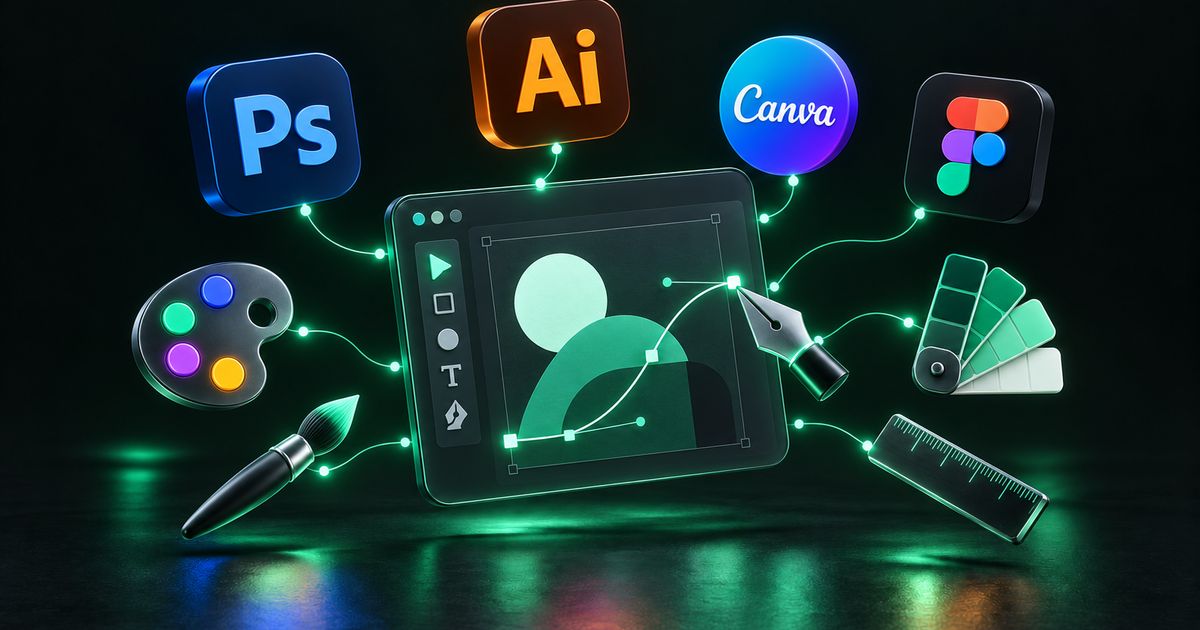
- Adobe Illustrator: the standard for vector work such as logos, icons, packaging and print layouts.
- Adobe Photoshop: photo editing, retouching and raster compositions.
- Adobe InDesign: multi-page documents like brochures, catalogues and company profiles.
- Figma: collaborative design for social templates, web and app interfaces, and brand systems.
- Canva: useful for teams making quick edits from templates a designer has set up.
- CorelDRAW: still widely used by print shops, so designers often supply compatible files.
The tool matters less than the files you receive. Make sure you get editable source files and final exports, not just a few JPGs.
How the design process works
- Brief: what the piece is for, who will see it, where it will appear, what it must say, and any size or print requirements.
- References and research: examples you like and dislike, competitor material, and your existing brand assets.
- Concepts: the designer presents initial directions. For a logo this may be several distinct ideas; for a flyer, one or two layouts.
- Feedback and revisions: consolidated feedback from one decision-maker keeps revisions focused.
- Finalisation: proofreading, colour checks and preparation of files for each use.
- Delivery: source files plus exports for print and screen, organised and clearly named.
- Print check: for important print jobs, request a physical proof before the full run.
What drives the cost of design work
- Originality: a new identity from scratch involves more research and exploration than adapting an existing brand.
- Number of concepts and revision rounds included.
- Volume: a monthly set of social posts or ad variants versus a one-off piece.
- Complexity: multi-page brochures, catalogues and packaging with dielines take longer than single-page items.
- Copywriting and imagery: whether text and photos are supplied or need to be created or licensed.
- Formats and sizes: each additional size or adaptation adds work.
- Source files and usage rights: confirm what is included in the handover.
For monthly design needs, a retainer can be more predictable than paying per piece. Our pricing page explains how we structure design work.
Common design mistakes
- Only having the logo as a low-resolution JPG, which cannot be enlarged or printed cleanly.
- Sending RGB files to print, leading to colour shifts.
- No bleed on print files, causing white edges or cut-off content.
- Too much text on banners, posters and ads.
- Inconsistent colours and fonts across posts, print and website.
- Using images found online without the right to use them.
- Designing by committee, with conflicting feedback from several people.
- Not receiving source files, making future edits dependent on the original designer.
How to choose a designer, plus a checklist
Look for a portfolio that shows range and relevance to your industry, but also ask about process. A designer who asks good questions about your audience and use cases will produce more useful work than one who jumps straight into visuals.
- Ask to see both digital and printed work if you need print.
- Confirm how many concepts and revision rounds are included.
- Confirm you will receive editable source files and full usage rights.
- Ask whether they prepare print-ready files with bleed and CMYK.
- Check they can deliver templates your team can reuse.
Design handover checklist
- Logo in vector format (AI, EPS or SVG) plus PNG with transparent background
- Horizontal, stacked and icon-only logo versions
- Brand colours listed in HEX, RGB and CMYK
- Font names and licence details
- Print files in CMYK with bleed and crop marks as the printer requested
- Screen versions sized for each platform
- Editable source files for every piece
- Reusable templates for recurring items such as social posts
- All text proofread and approved in writing
How Nexon Enterprise handles graphic design
Nexon Enterprise designs logos, brand kits, social media posts, stationery, business cards, brochures, banners, ad creatives, packaging and presentations. We start from a written brief, deliver print-ready and screen versions with source files, and build reusable templates where your team will need to produce similar material again.
Design often feeds directly into other work, so it helps that the same team handles social media management, video editing and paid campaigns. Browse the full list on our graphic design service page, or contact us with what you need designed.
Frequently asked questions
What files should I receive after a logo design project?
At minimum, a vector master file (AI, EPS or SVG), a print-ready PDF, and PNG files with transparent backgrounds for screen use. You should also get versions for light and dark backgrounds, a one-colour version, and the exact colour codes and font names. Without vector files, you will struggle to use the logo on signage or large prints.
What is the difference between a logo and a brand kit?
A logo is a single mark. A brand kit is the complete system around it: logo variations, colour palette, typography, usage rules and often templates. The kit is what keeps your printer, staff and agencies consistent, so your brand looks the same everywhere.
Why do my printed colours look different from the screen?
Screens display colour in RGB using light, while printers use CMYK inks, which cannot reproduce every bright screen colour. Paper type and printer calibration also affect results. Preparing files in CMYK, defining brand colour values for print, and asking for a physical proof before a large run all reduce surprises.
What is bleed and why does my printer ask for it?
Bleed is extra background extending beyond the final trimmed edge of a design. Because trimming is never perfectly precise, bleed prevents thin white edges from appearing. Your printer will specify how much bleed they need, and important text should also sit inside a safe margin away from the edge.
Can I edit designs myself later?
Yes, if you receive the right files. Ask for editable source files and, for recurring items like social posts, templates in a tool your team can use, such as Canva or Figma. Keep the master brand files unchanged and let templates handle the day-to-day edits.
Is it better to hire a designer per project or on a monthly plan?
One-off projects like a logo or packaging suit per-project work. Ongoing needs, such as social posts, ad creatives and promotional material every month, are usually easier to manage on a monthly plan, which keeps the same designer familiar with your brand and makes costs more predictable.
WORK WITH US
Need help with graphic design?
Design that makes a business look as serious as it is — from a single social post to a complete brand kit your whole team can use.