What Python development means for a business
Python is a general-purpose programming language known for readable code and a very large ecosystem of libraries. For a business, Python development usually means one of three things: building the server-side system behind a website or app, writing automation that removes repetitive manual work, or processing data so that it can be reported on and trusted.
Those three areas overlap more than people expect. A real estate agency might start with a script that merges listing exports from several portals into one spreadsheet, then want that data available through an internal API, and eventually want a small web application on top of it for agents. Python handles every step of that journey in one language, which keeps the codebase coherent and makes it easier to find developers who can maintain it.
This guide is written for business owners, operations managers and technical leads who are evaluating Python work — whether that is a single automation script or a full backend. It explains each type of Python project, the frameworks involved, how a sensible project runs and what to watch out for when choosing a provider.
Why businesses choose Python
Language choice matters less than good engineering, but Python has some practical advantages that make it a common default for business systems.
- Readability. Python code is comparatively easy to read, which lowers the cost of handing a project to another developer later.
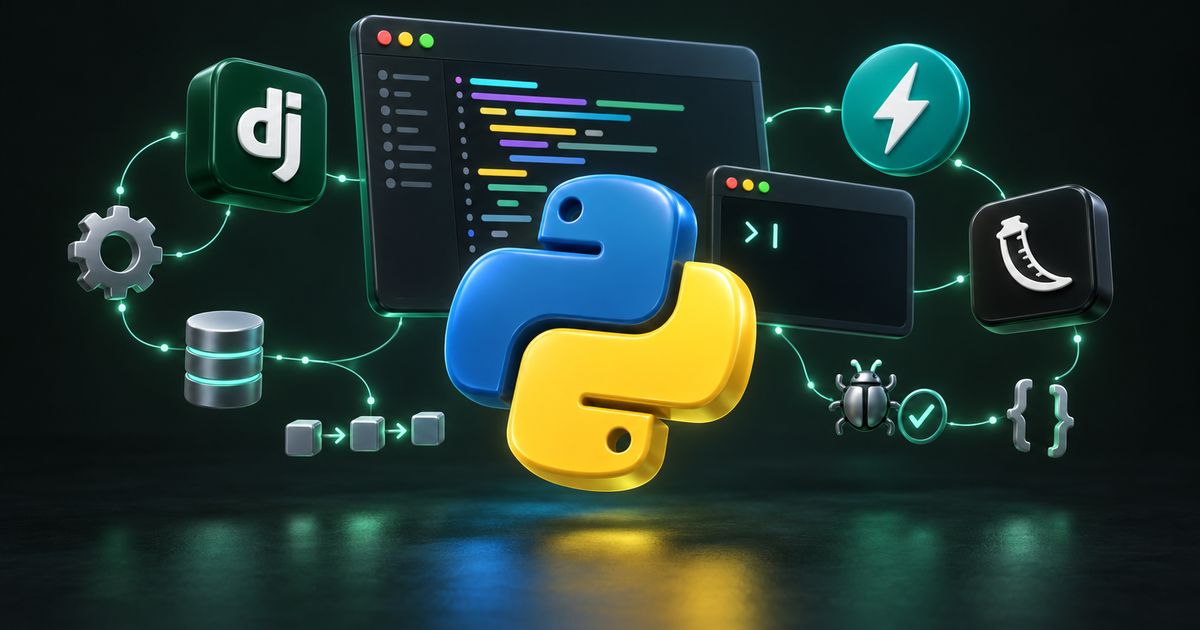
- Mature web frameworks. Django, Flask and FastAPI are well established, widely documented and actively maintained.
- Strong data tooling. Libraries such as pandas, openpyxl and the standard csv module make data cleaning and spreadsheet work straightforward.
- Automation-friendly. Python runs comfortably on Linux servers, schedules easily with cron or systemd timers, and talks to almost any file format, database or API.
- AI and machine learning. Most AI tooling offers first-class Python support, so a Python backend is well positioned if you later add AI automation.
- Hiring pool. Python is widely taught and widely used, so you are not locked into a small group of specialists.
Python is not the right answer for everything. Very latency-sensitive systems, mobile apps and browser front ends are usually built in other languages. A good provider will tell you when Python is a poor fit rather than forcing it.
Every type of Python project, explained
Python development is a broad label. Below is what each commonly requested service actually involves, so you can describe your need accurately when you ask for a quote.
Backend development
The backend is the server-side system that stores data, enforces business rules and serves your website, mobile app or internal tools. Good backend work starts with a clean data model — the tables, relationships and constraints that describe your business — because every later feature is built on it. Sensible layering, tests around the parts that matter and clear documentation on how to run, deploy and debug the system are what keep it changeable a year after launch.
Automation scripts
Automation scripts are small programs that do a repetitive task on a schedule: downloading a daily report, reformatting it, and emailing it to the right people. For many businesses this is the fastest return on development spend, because it removes hours of manual work and the mistakes that come with it. A well-built script logs exactly what it did, so your team can verify the output instead of trusting it blindly.
REST API development
A REST API lets other systems — your mobile app, a partner, a reporting tool — read and write data in a predictable way. The essentials are consistent resource naming, genuine input validation, correct HTTP status codes, authentication and versioning from the first endpoint. For a deeper look at API design and integrations, see our API development and integration service.
FastAPI development
FastAPI is a modern Python framework for building APIs. It uses Python type hints and Pydantic models to validate requests and responses, supports asynchronous request handling, and generates interactive OpenAPI documentation automatically from the code. That documentation means the developer integrating with your API can explore and test it in a browser without booking a meeting. FastAPI suits high-concurrency APIs, microservices and backends for mobile or single-page apps.
Flask development
Flask is a lightweight framework that gives you routing and request handling and leaves most other decisions to you. It is well suited to internal tools, small focused services and dashboards where a full framework would add ceremony without benefit. The risk with Flask is that a small service grows into one enormous file; applying proper structure — blueprints, configuration management, separate modules — from the start prevents that.
Django development
Django is a batteries-included framework with an ORM, migrations, authentication, forms and an automatic admin interface available immediately. That makes it a strong fit for data-heavy business applications such as CRMs, booking systems, inventory tools and content platforms. A common good practice is to use the built-in Django admin for internal staff while building a proper, purpose-designed interface for customers, rather than exposing the admin to the public.
Data processing
Most businesses have data spread across several systems that do not agree with each other. Data processing work parses those exports, validates them, removes duplicates and merges them into one reliable dataset. The key feature is repeatability: next month’s data should flow through the same pipeline without anyone doing the cleanup by hand again. Rejected records should be kept with a reason, not silently dropped.
File automation
File automation covers watching folders, renaming files by rule, converting formats, compressing and archiving, and moving files between servers or cloud storage on a schedule. A logistics firm, for example, might receive proof-of-delivery scans from drivers that need renaming by consignment number and filing by date. Operations should be idempotent — safe to run twice without duplicating or deleting anything.
PDF automation
Python can generate PDFs from templates and data, merge or split existing files, add stamps and watermarks, and extract structured fields from PDFs you receive. Common uses include invoices, certificates, quotations and statements generated in bulk. Output should be validated, so a broken template produces an error rather than a batch of blank documents.
Excel automation
Many teams still live in Excel, and that is fine. Excel automation builds reports from live data, applies the exact formatting and formulas your team expects, and delivers the workbook by email or to shared storage automatically. Libraries such as openpyxl and pandas can read existing workbooks, so a report your team already likes can usually become the template.
FastAPI, Django or Flask: which one fits?
The framework decision should follow from what you are building, not from what is fashionable. This comparison covers the typical fit for each.
| Framework | Best suited to | Strengths | Watch out for |
|---|---|---|---|
| Django | Data-heavy business apps, admin-driven systems, content platforms | ORM, migrations, auth and admin built in; mature and well documented | More structure than a tiny service needs; admin should not face customers |
| FastAPI | APIs, microservices, mobile and SPA backends, async workloads | Type-driven validation, async support, automatic OpenAPI docs | You choose your own ORM, auth and admin tooling |
| Flask | Internal tools, small services, simple dashboards | Minimal, readable, quick to start and deploy | Needs deliberate structure to avoid becoming one large file |
| Plain Python scripts | Scheduled automation, file, PDF and Excel jobs | No web server needed; simple to run with cron or systemd timers | Needs logging, alerting and error handling added deliberately |
How a well-run Python project works, step by step
Whether the project is a two-day script or a multi-month backend, the same stages apply. They simply take more or less time.
- Discovery. Understand the actual workflow, the people involved, the systems data comes from and where it needs to end up. For automation, this often means watching someone do the task once.
- Scope and acceptance criteria. Agree in writing what done looks like — inputs, outputs, edge cases and how success will be checked.
- Data model and architecture. Design tables, relationships, API endpoints or pipeline stages before writing feature code.
- Build in small increments. Deliver working pieces early so you can react to something real rather than a specification.
- Testing. Automated tests with pytest around business rules, calculations and integrations; manual testing of the full flow with real sample data.
- Deployment. Package the application, often with Docker, deploy it to a Linux server or cloud platform, and set up environment variables, secrets and scheduling.
- Monitoring and handover. Logging, alerting on failures, and documentation covering how to run, deploy, configure and debug the system.
- Ongoing support. Dependency updates, security patches and small changes as your business evolves.
Deployment and hosting deserve their own planning. If you do not already have a server setup you trust, our cloud and server management service covers provisioning, hardening, SSL and backups.
Tools and technology commonly used
You do not need to know every tool, but recognising the common ones helps you judge whether a proposal is grounded in standard practice.
- Web frameworks: Django, FastAPI, Flask.
- Data validation: Pydantic, Django forms and serializers, Marshmallow.
- Databases and ORMs: PostgreSQL, MySQL, SQLite; SQLAlchemy and the Django ORM; Alembic for migrations outside Django.
- Background jobs and scheduling: Celery, RQ, cron, systemd timers.
- Caching and queues: Redis.
- Data and documents: pandas, openpyxl, the csv module, pypdf, ReportLab, WeasyPrint.
- HTTP and APIs: Requests, HTTPX.
- Testing and quality: pytest, coverage, Ruff, mypy.
- Packaging and deployment: virtual environments, pip or Poetry, Docker, Gunicorn or Uvicorn behind Nginx on Linux.
What drives the cost of Python development
Every project is priced differently, but the same factors decide where it lands. Understanding them helps you compare quotes fairly and control scope.
- Clarity of requirements. Vague scope leads to rework. A clear description of inputs, outputs and edge cases is the single biggest lever you control.
- Number of integrations. Each external system — a CRM, a payment gateway, an ERP, an email provider — adds design, testing and failure handling.
- Data quality. Messy, inconsistent source data takes real effort to clean and validate.
- User interface requirements. An API or a script is cheaper than an API plus a polished, role-based web interface.
- Security and compliance needs. Authentication, permissions, audit logs and data protection requirements add work, and should.
- Testing depth. Financial calculations and anything customer-facing justify more automated tests than a one-off internal report.
- Hosting and operations. Cloud or server costs vary by provider and usage, and ongoing monitoring and maintenance are separate from the build.
For typical engagement structures, see our pricing page. The best way to get a meaningful estimate is a short written description of the problem, a sample of the data and a list of the systems involved.
Common mistakes to avoid
- Automating a broken process. If the manual workflow is unclear, automating it simply produces wrong results faster. Fix the process first.
- Scripts with no logging or alerts. A scheduled job that fails silently can go unnoticed for weeks. Every automation should report failures somewhere a human reads.
- Hard-coded credentials. Passwords and API keys belong in environment variables or a secrets manager, never in the source code or repository.
- No tests around business rules. Calculations for pricing, commissions or tax-like logic should have tests so a future change cannot quietly break them.
- Running on one developer’s laptop. Production automation belongs on a server with scheduling, monitoring and backups — not on a machine that might be switched off.
- Unpinned dependencies. Without pinned library versions, a routine reinstall can pull in a breaking change.
- Choosing a framework for hype. Pick the tool that fits the job and that other developers can maintain.
- No handover documentation. If only the original developer understands the system, you are dependent on them indefinitely.
How to choose a Python development provider
Portfolios and proposals can look similar. These questions help separate providers who will leave you with a maintainable system from those who will not.
- Do they ask about your workflow and data before quoting, or quote from a one-line brief?
- Can they explain why they recommend Django, FastAPI or Flask for your case specifically?
- Will you own the source code, the repository and the server accounts?
- How do they handle secrets, backups and logging?
- What tests will be written, and for which parts?
- What documentation is included at handover?
- How are bugs after launch handled, and what does ongoing maintenance look like?
- Will they tell you plainly when something is not worth automating?
The answers matter more than the price of the first project. A cheaper build that nobody else can maintain often costs more over two years than a carefully built one.
Python project checklist
Use this checklist before you start and again before you accept delivery.
- The problem, users and success criteria are written down.
- Sample input data and expected output have been shared.
- All systems to integrate with are listed, with access arranged.
- The framework choice has a stated reason.
- Source code lives in a repository you own.
- Credentials are stored outside the code.
- Automated tests cover business rules and integrations.
- Logging and failure alerts are in place.
- Deployment is documented and repeatable.
- Backups exist for any data the system stores.
- Handover documentation explains how to run, deploy and debug it.
- A maintenance and support arrangement is agreed.
How Nexon Enterprise delivers Python development
Nexon Enterprise is a software, automation and digital-infrastructure company based in Rajkot, India, working with clients in India and internationally. Our Python development work covers backends, REST and FastAPI services, Django and Flask applications, data processing and file, PDF and Excel automation.
We favour well-understood tools over trends, because you will be maintaining the system after handover. That means clean data models, tests around the parts that genuinely matter, scripts that log what they did, credentials kept out of the code, and documentation on how to run, deploy and debug everything. You own the code and the infrastructure accounts.
Python work often connects to other services we provide, such as web scraping and data solutions, custom software and ongoing maintenance and support. If you have a repetitive task or a backend you need built, get in touch with a short description and, if possible, a sample of the data involved.
Frequently asked questions
Is Python fast enough for a production backend?
For the vast majority of business applications, yes. Most backend time is spent waiting on databases, networks and external APIs rather than running Python code, and frameworks such as FastAPI support asynchronous handling for high-concurrency workloads. Where a specific hot path is genuinely slow, it can be profiled and optimised, cached, or moved to a faster component without rewriting the whole system.
Should I choose Django or FastAPI for my project?
Choose Django when your project is a data-heavy application with many screens, user roles and staff who manage records, because its ORM, migrations, authentication and admin save significant time. Choose FastAPI when you are mainly building an API consumed by a mobile app, a front-end framework or other systems, especially if you want automatic OpenAPI documentation and async support. Some systems sensibly use both.
What kinds of tasks can a Python automation script handle?
Common examples include downloading and reformatting reports, merging spreadsheets from different systems, generating PDFs such as invoices or certificates in bulk, renaming and filing documents, moving files between servers or cloud storage, sending scheduled emails, and syncing data between tools through their APIs. If a person repeats the same steps on a computer regularly, it is usually a candidate.
Can you automate our existing Excel reports without changing how they look?
Usually, yes. Libraries such as openpyxl can open an existing workbook, fill it with fresh data and preserve formatting, formulas and layout, so the report your team already relies on becomes the template. Some advanced Excel features and macros need special handling, which is worth checking with a sample file before the work starts.
Where will my Python application or script run?
Typically on a Linux server or cloud instance, often packaged with Docker and run behind Nginx for web applications, or scheduled with cron or systemd timers for scripts. It can run on infrastructure you already own or on a new server set up for it. Running production automation on a personal laptop is not recommended because it lacks monitoring, uptime and backups.
Will we own the source code?
You should, and with Nexon Enterprise you do. We recommend the code live in a repository under your organisation’s account, with server and third-party service accounts in your name too, so you are never dependent on one provider to access your own system.
How do we keep a Python system secure and up to date?
Keep dependencies pinned and update them on a regular schedule, apply security patches promptly, store secrets outside the code, validate all input, use proper authentication and permissions, and keep logs of important actions. A maintenance arrangement makes this routine rather than something remembered only after an incident.
WORK WITH US
Need help with python development?
Backends, APIs and automation scripts in Python — FastAPI, Flask and Django, plus everyday file, PDF and Excel automation.