What an API is and why it matters
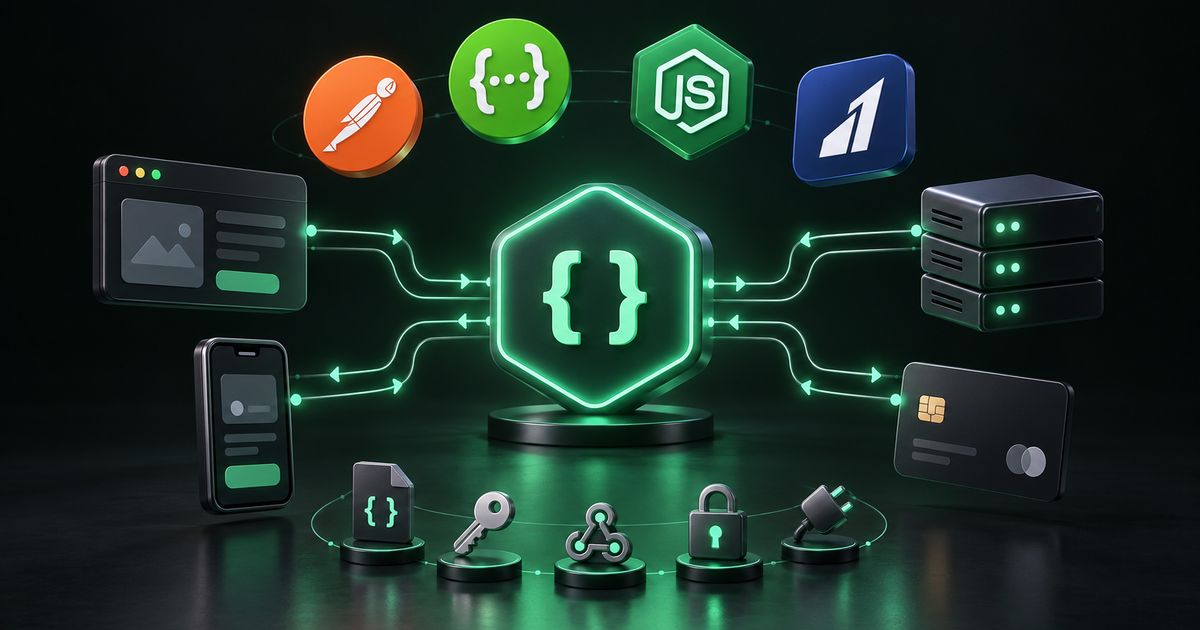
An API (application programming interface) is a defined way for one piece of software to request data or actions from another. When your website takes a payment, it calls the payment gateway’s API. When a new lead appears in your CRM from a web form, an API carried it there. When your warehouse system updates stock on your online store, an API made that happen.
API development means building your own API so other systems — your mobile app, a partner, an internal dashboard — can use your data and functions safely. API integration means connecting your systems to someone else’s API: a payment gateway, a CRM, an ERP, a shipping provider or an email service.
Most growing businesses need both. Data that is entered twice, spreadsheets emailed between departments and orders that do not match payments are usually symptoms of systems that are not properly connected. This guide explains how to fix that well.
Why businesses invest in APIs and integrations
- Remove manual re-entry. Every time a person copies data from one system to another, errors creep in. Integrations remove that step.
- One source of truth. Clear rules about which system owns which data stop arguments about whose numbers are right.
- Faster operations. An e-commerce seller whose orders flow automatically from the store to the warehouse to the courier ships faster than one relying on exports.
- Partner and customer access. A logistics firm can let clients track shipments through an API instead of answering calls and emails.
- Freedom to change tools. A clean integration layer means replacing a CRM or payment provider later touches one component, not everything.
- Foundation for automation. AI and workflow automation depends on systems that expose reliable APIs.
API development and integration services, explained
REST API development
REST is the most widely used style for web APIs. Resources such as orders, customers or properties get predictable URLs, and standard HTTP methods — GET, POST, PUT, PATCH, DELETE — read and change them. A good REST API is designed around your domain, uses correct status codes, validates every input, authenticates every request and is versioned from the start so it can evolve without breaking existing consumers.
Third-party API integration
Integrating an external service means building a client that handles more than the happy path: timeouts, retries with backoff, rate limits, expired tokens, unexpected response formats and vendor outages. Documentation for many APIs is incomplete or out of date, so part of the work is establishing what the API actually does. The integration should be wrapped in its own layer so that a vendor change only affects one place in your code.
Payment gateway integration
Payment integrations connect your checkout to providers such as Razorpay, Stripe or PayPal, and to UPI in India. The critical parts are not the payment button but everything around it: verifying webhook signatures so fake notifications are rejected, idempotency so a double-click does not charge twice, handling timeouts, partial captures and refunds, and reconciling payments against your order records so the two never drift apart. Test and live environments must be kept strictly separate.
CRM integration
A CRM integration synchronises leads, contacts, deals and activity between your application and a CRM such as HubSpot, Zoho CRM, Salesforce or a custom-built one. Two-way sync needs explicit field mapping, conflict rules for when both sides change the same record, and a change log. A real estate agency, for example, might push website enquiries into its CRM instantly and pull deal stages back into its own reporting dashboard.
ERP integration
ERP systems hold inventory, accounting, purchasing and production data. Integrating them with your website, store or portal removes the manual re-entry that causes many data errors. Modern ERPs often provide REST APIs; older ones may only offer file exports, database-level access or scheduled batch interfaces. A capable integrator works with whatever the ERP exposes and documents the mapping rules for your team.
Custom API development
Internal APIs modelled on your real business objects — shipments, bookings, policies, units — rather than generic create-read-update-delete templates make every later integration simpler. Access should be scoped per consumer, so each app or partner sees only what it needs, and usage should be visible per client.
API security
APIs are a frequent target because they expose data directly. Essentials include strong authentication (API keys for server-to-server use, OAuth 2.0 or signed tokens such as JWTs for user-facing access), scoped permissions, key rotation, per-client rate limiting, strict input validation and object-level authorisation checks so one customer cannot read another’s records by changing an ID. The OWASP API Security Top 10 is a widely used reference for the common risks. For broader protection, see our cyber security service.
API documentation
An API without documentation creates support calls. The standard today is an OpenAPI specification — a machine-readable description of every endpoint — accompanied by readable guides with working examples. Documentation should cover authentication, error formats and rate limits, because those are what integrators ask about most, and it should live in the repository with the code so it stays current.
Webhook development
Webhooks reverse the direction of an API: instead of a system repeatedly asking whether anything has changed, the source sends an HTTP request when an event happens — a payment captured, an order shipped, a form submitted. Reliable webhooks use signed payloads, automatic retries with exponential backoff, and a log that failed deliveries can be replayed from. Receivers should be idempotent so duplicate deliveries during an outage do not create duplicate records.
REST, GraphQL, webhooks and file transfers compared
Not every integration should use the same mechanism. The right choice depends on who consumes the data and how quickly it must arrive.
| Approach | How it works | Good fit | Trade-offs |
|---|---|---|---|
| REST API | Resource URLs with standard HTTP methods | Most business APIs, partner access, mobile backends | Clients may need several calls to assemble complex views |
| GraphQL | Clients request exactly the fields they need from one endpoint | Front ends with varied data needs across many screens | Caching, rate limiting and query cost control need more care |
| Webhooks | Source pushes an HTTP request when an event occurs | Payments, order status, real-time notifications | Receiver must be reachable, verify signatures and handle duplicates |
| Scheduled file or batch transfer | CSV, XML or database exports exchanged on a schedule | Older ERPs and systems with no modern API | Data is only as fresh as the last run; formats need validation |
How an API project works, step by step
- Map the data flow. List every system involved, what data moves between them, in which direction, how often and which system is the source of truth for each field.
- Review the external APIs. Read documentation, check authentication methods, rate limits, sandbox availability and webhook support; test real calls early.
- Design the contract. Define endpoints, request and response formats, error structure and versioning — ideally as an OpenAPI specification before code is written.
- Plan failure handling. Decide what happens on timeouts, duplicates, partial failures and vendor outages. This is where most integration bugs live.
- Build and test in a sandbox. Use test credentials and sandbox environments; write automated tests for the contract and mapping logic.
- Security review. Check authentication, authorisation, input validation, rate limits and secret storage against a standard such as the OWASP API Security Top 10.
- Go live carefully. Switch to live credentials, monitor closely, and reconcile early transactions by hand to confirm correctness.
- Monitor and maintain. Alert on error rates and failed syncs, track vendor API deprecations and keep documentation current.
Tools and technology commonly used
- Frameworks: FastAPI, Django REST Framework and Flask in Python; Express and NestJS in Node.js; Laravel in PHP.
- Specifications and docs: OpenAPI (formerly Swagger), Swagger UI, Redoc, Postman collections.
- Authentication: API keys, OAuth 2.0, OpenID Connect, JWT, HMAC-signed webhooks.
- Data formats: JSON primarily; XML and CSV for older systems.
- Reliability: message queues and background workers such as Redis with Celery or RabbitMQ; retry with exponential backoff; idempotency keys.
- Gateways and proxies: Nginx, cloud API gateways, Cloudflare for rate limiting and protection.
- Testing and monitoring: pytest, Postman, contract tests, structured logging, uptime and error-rate alerts.
Much API work is built in Python; our Python development guide covers the FastAPI, Django and Flask choice in more depth.
What drives the cost of API work
- Number of systems and endpoints. Each integration and each resource adds design, testing and maintenance.
- Quality of the other side’s API. Well-documented APIs with sandboxes are faster to integrate than poorly documented or file-based interfaces.
- Sync direction and frequency. Two-way, real-time sync with conflict resolution is significantly more involved than one-way nightly exports.
- Data mapping complexity. Matching fields, units, statuses and identifiers across systems is often the largest single task.
- Security and compliance requirements. Payment and personal data raise the bar for authentication, logging and review.
- Documentation and developer experience. Public APIs for partners need more polished documentation than an internal service.
- Ongoing maintenance. Vendors deprecate versions and change behaviour; monitoring and updates are recurring work.
See our pricing page for how projects are typically structured.
Common API and integration mistakes
- Trusting payment redirects instead of webhooks. The customer’s browser returning to a success page is not proof of payment; verify with a signed webhook or a server-side status check.
- No idempotency. Retries and double-clicks create duplicate orders, charges or records.
- No versioning. Changing an endpoint in place breaks every consumer at once.
- Missing object-level authorisation. Checking that a user is logged in but not that they own the record they request is one of the most common API flaws.
- Secrets in code. API keys committed to a repository are a serious and avoidable leak.
- Silent sync failures. Integrations that fail without alerting leave systems out of step for weeks.
- No clear source of truth. Two-way sync without conflict rules produces records that flip back and forth.
- Documentation as an afterthought. Outdated docs cost more support time than writing them properly once.
How to choose an API development partner
- Do they start by mapping your data flows and sources of truth?
- Can they explain how they handle retries, duplicates and vendor outages?
- Do they verify webhook signatures and use idempotency for payments?
- Will you receive an OpenAPI specification and readable documentation?
- How are secrets stored and rotated?
- Do they review against the OWASP API Security Top 10 or a similar standard?
- What monitoring and alerting is included?
- Who owns the code and the integration accounts?
API and integration checklist
- Every system, data flow and direction is mapped.
- A source of truth is defined for each important field.
- External API documentation, limits and sandboxes are reviewed.
- The API contract is written as an OpenAPI specification.
- Authentication and scoped permissions are defined per consumer.
- Object-level authorisation is enforced on every endpoint.
- Retries, timeouts and idempotency are implemented.
- Webhooks are signed, verified, logged and replayable.
- Secrets are stored outside the code and can be rotated.
- Test and live environments are separated.
- Error rates and failed syncs trigger alerts.
- Documentation lives with the code and is kept current.
How Nexon Enterprise delivers API development and integration
Nexon Enterprise is a software, automation and digital-infrastructure company based in Rajkot, India, working with Indian and international clients. Our API development and integration service covers REST and custom APIs, third-party integrations, payment gateways including Razorpay, Stripe, PayPal and UPI, CRM and ERP integration, API security, documentation and webhooks.
We design around your domain, document as we build, and handle the failure paths — timeouts, duplicates, refunds, outages — rather than only the happy case. Integrations are wrapped so a vendor change affects one layer, secrets are managed properly, and sync failures are surfaced immediately instead of discovered later.
APIs often sit underneath custom software, WhatsApp automation and web development projects. To discuss connecting your systems, contact us with a list of the tools you use and what should flow between them.
Frequently asked questions
What is the difference between API development and API integration?
API development means building your own API so other software — your apps, partners or internal tools — can access your data and functions. API integration means connecting your systems to an existing API provided by someone else, such as a payment gateway, CRM or ERP. Many projects involve both: you integrate external services and expose a clean API of your own on top.
Should we use REST or GraphQL?
REST is the sensible default for most business APIs and partner integrations because it is widely understood, easy to cache and simple to secure and rate-limit. GraphQL can be a good fit when a front end has many screens with varied data needs, since clients request exactly the fields they need. It requires more care around caching, query cost and access control.
Which payment gateways can be integrated?
Common choices include Razorpay, Stripe and PayPal, along with UPI flows in India, and most other gateways that provide a documented API. Whatever the gateway, a sound integration verifies webhook signatures, uses idempotency to prevent double charges, handles refunds and failures, and reconciles payments against orders.
Our ERP is old and has no API. Can it still be integrated?
Often, yes. Older systems can frequently be integrated through scheduled file exports and imports, database-level access or vendor-provided connectors. The data is less real-time than with a modern API, but it can still remove manual re-entry. We assess what the system exposes before recommending an approach.
How do you keep an API secure?
By authenticating every request, scoping permissions per consumer, checking that the requester is allowed to access each specific record, validating all input, rate limiting per client, rotating keys, storing secrets outside the code and logging important actions. Reviewing against the OWASP API Security Top 10 before launch catches the most common weaknesses.
What are webhooks and do we need them?
Webhooks are HTTP notifications a system sends when something happens, such as a payment being captured or an order shipping. They let your systems react immediately instead of repeatedly polling for changes. If you take online payments or need real-time updates between systems, you almost certainly need them, built with signature verification, retries and duplicate handling.
WORK WITH US
Need help with api development & integration?
Connect the systems you already run. Documented, secured REST APIs plus payment, CRM and ERP integrations that stay reliable.