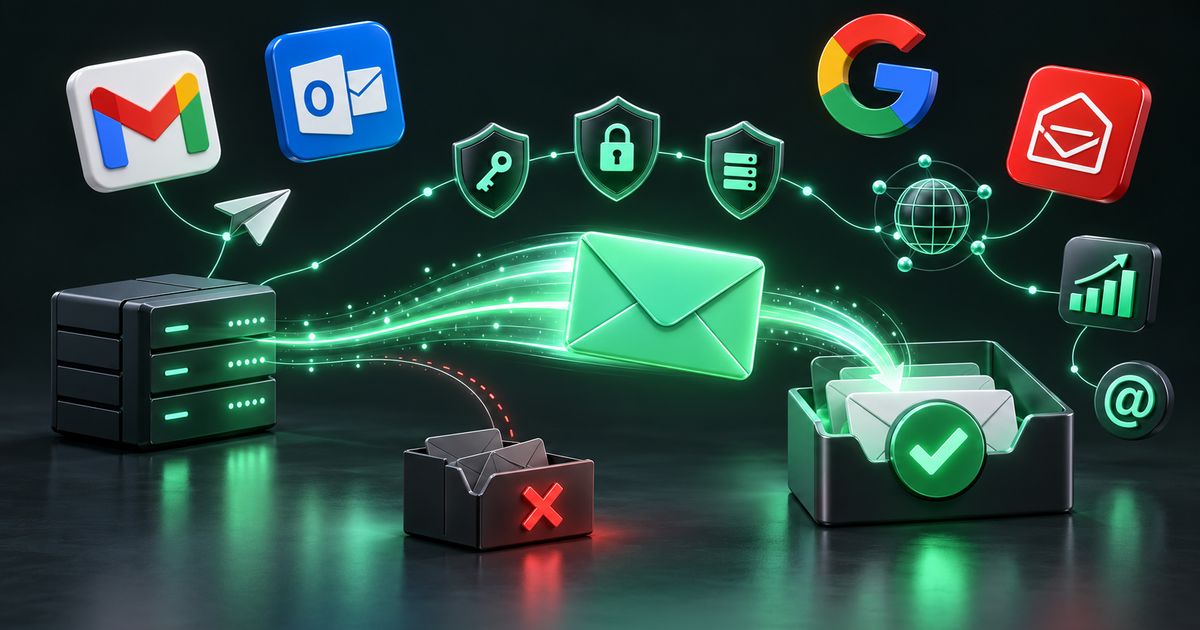
What email infrastructure actually means
When people say “our emails are going to spam”, they usually go looking for a better subject line. Sometimes that helps. Far more often, the cause sits underneath the message: a missing DNS record, a sending IP with no reverse DNS, a shared server whose other customers have damaged its reputation, or a list that has quietly filled up with dead addresses. Email infrastructure is everything between clicking “send” and the message arriving — the servers, the DNS records, the authentication, the queues and the feedback systems that tell you what happened.
Providers such as Gmail, Outlook and Yahoo judge every message on who sent it, whether the sender is authorised to use the domain, how that domain and IP have behaved before, and how recipients react. Content is only one input.
This guide walks through each layer and the rules for sending responsibly. Good infrastructure exists to deliver mail people asked for — it is not a way around spam filters.
Why a business needs proper email infrastructure
Email carries password resets, OTPs, invoices, order confirmations and the newsletters that keep customers engaged. When those fail, the cost shows up in support tickets and abandoned checkouts.
- Reliability: transactional mail such as OTPs and receipts must arrive within seconds, every time.
- Reputation you own: on your own domain and, where volume justifies it, your own IPs, the reputation you build belongs to you rather than to a shared pool.
- Cost control at scale: at high, steady volumes, owning the stack can beat per-message pricing, at the cost of operational work.
- Protection from spoofing: DMARC stops criminals impersonating your domain.
- Compliance: mailbox providers now require authentication and easy unsubscribing from bulk senders.
Compliance first: permission-based sending
Everything in this guide assumes you are emailing people who agreed to hear from you, and that you make it easy for them to stop.
- Opt-in lists only. Collect addresses through your own sign-up forms, purchases or clear consent. Purchased, rented or scraped lists damage reputation and, in many jurisdictions, break the law.
- A working unsubscribe in every marketing email, honoured promptly and permanently.
- Honest headers and subject lines. The From name, reply address and subject should accurately represent who you are and what the message contains.
- Know the laws that apply to your recipients. In the United States, CAN-SPAM sets rules on identification, honest subject lines and opt-out handling. In the EU and UK, GDPR and related e-privacy rules govern consent and personal data. India’s Digital Personal Data Protection Act also sets obligations around consent and personal data. Your legal adviser should confirm what applies to you.
The Gmail and Yahoo bulk-sender requirements
In 2024, Google and Yahoo introduced stricter rules for senders who send large volumes to their users. In broad terms, bulk senders must authenticate their mail with SPF and DKIM, publish a DMARC policy with the From domain aligned, support one-click unsubscribe (the List-Unsubscribe and List-Unsubscribe-Post headers) and process unsubscribes quickly, and keep spam complaint rates low, as reported in Google Postmaster Tools. Valid forward and reverse DNS and TLS are also expected. Microsoft has since announced similar expectations for high-volume senders to Outlook.com. Treat these as the minimum baseline, not a target.
Servers, SMTP and sending platforms
The first decision is where mail is sent from. It depends on volume, budget, in-house skills and how much control you need.
Your own mail server
Private Email Server Setup gives you a mail server on your own IP addresses, so another sender’s behaviour cannot affect your delivery and there is no per-message charge. Mail Server Installation covers the complete stack from a bare server: the mail transfer agent (MTA), mailbox storage, authentication, TLS, spam filtering and, if needed, webmail. SMTP Server Setup focuses on the sending side — connection and rate limits per destination, queue policy, logging that makes problems diagnosable, and locked-down relay access so nobody else can use the server.
The common building blocks are well established. Postfix Configuration covers the widely used open-source MTA: queues, transport maps that route mail by destination, TLS settings and relay rules. Postal Mail Server Setup deploys Postal, an open-source, self-hosted sending platform with a web interface, per-organisation credentials, click and open tracking and webhooks. PowerMTA Configuration covers a commercial MTA built for very high volume, where virtual MTAs, IP pools and per-domain traffic shaping give fine control over how fast mail goes to each provider.
Cloud sending services and SMTP models
Cloud Email Sending Setup & Optimization means configuring a managed service such as Amazon SES properly: requesting production access, verifying domains, deciding between shared and dedicated IPs, using configuration sets to route events, and wiring bounce and complaint notifications back into your application.
Dedicated SMTP Solutions isolate your sending so the reputation you build is yours alone — sensible for consistent, higher volumes. Shared SMTP Solutions pool sending across customers, which is cost-effective for lower volumes where you could not keep a dedicated IP warm on your own. Separating Transactional Email Setup from marketing is one of the most valuable decisions you can make: receipts, OTPs and alerts travel on their own subdomain and path, so a marketing campaign that attracts complaints never delays a password reset. Bulk Email Infrastructure is the architecture that ties it together for volume — multiple IPs or streams, sensible throttling, and separation between audiences.
Campaign management with MailWizz
MailWizz Installation & Configuration deploys the licensed, self-hosted email marketing application and connects it to your delivery servers — Postfix, Postal, PowerMTA or a cloud service. Getting value from it depends on configuration: cron jobs for sending and bounce processing, delivery server quotas, list and subscriber settings, double opt-in forms, and bounce and complaint handling that actually removes problem addresses.
| Approach | Best suited to | Main trade-off |
|---|---|---|
| Cloud service (e.g. Amazon SES) | Most businesses starting out or with variable volume | Less low-level control; usage-based cost |
| Shared SMTP | Low volumes, occasional campaigns | Reputation partly depends on other senders |
| Dedicated SMTP / IPs | Steady, higher volumes | IPs need warm-up and consistent traffic |
| Self-hosted Postfix or Postal | Teams wanting full control and ownership | You are responsible for maintenance and security |
| PowerMTA | Very high, well-managed volumes | Commercial licence and specialist configuration |
Authentication and DNS: proving who you are
Authentication is how a receiving server confirms that mail claiming to be from your domain really is. Without it, modern mailbox providers treat your mail with suspicion — or reject it outright.
- SPF Configuration — a DNS TXT record listing the servers allowed to send for your domain. SPF has a limit of ten DNS lookups; records that include too many services silently fail, so they need careful consolidation.
- DKIM Configuration — every message is signed with a private key, and the public key is published in DNS. Receivers verify the signature to confirm the message was not altered and came from an authorised system. Keys should be adequately long and rotated periodically.
- DMARC Configuration — a policy telling receivers what to do when SPF or DKIM fail or do not align with the visible From domain, plus reporting addresses that send you aggregate reports. The usual path is to start at p=none to observe, fix every legitimate source, then move to quarantine and reject.
- rDNS (PTR) Setup — reverse DNS on the sending IP that resolves to a hostname, which in turn resolves back to the same IP. Missing or generic PTR records are a basic red flag for filters.
- Custom Tracking Domain Setup — open and click tracking served from a subdomain you own, rather than a shared tracking domain that may already be on blocklists because of other senders.
- SSL & TLS Configuration — valid certificates and modern TLS on SMTP, submission, IMAP and webmail. Encrypted transport protects content and is also something receivers check.
- DNS Configuration — MX, SPF, DKIM, DMARC, tracking and autodiscover records set and verified together, because one wrong record can break the rest.
Email Authentication as a combined service means making all of this line up end to end, including alignment — the domain in the From header matching the domains authenticated by SPF or DKIM. It can also include BIMI, which lets supporting mailbox providers display your logo next to authenticated messages. BIMI requires DMARC at an enforcement policy, and some providers also require a verified mark certificate, so it is a reward for getting the basics right rather than a shortcut.
If you want to know how your own domain looks today, send it to us and we will report on the key records before you change anything.
Deliverability, warm-up and feedback
Once mail is authenticated, reputation decides where it lands. Email Deliverability Optimization starts with diagnosis: checking authentication results in real message headers, reviewing reputation data, looking at bounce and complaint patterns by provider, and examining list sources and content. The fix is whatever the evidence points to, not a generic checklist.
Warm-up
A new domain or IP has no history, and providers are cautious with unknown senders. Domain & IP Warm-up Strategy is a staged plan that starts with small volumes to your most engaged recipients and increases gradually as providers respond well. Warm-up only works with genuine, opted-in, engaged recipients; it builds trust by demonstrating good behaviour, not by disguising bad behaviour.
Closing the feedback loop
- Bounce Handling — hard bounces (addresses that do not exist) are suppressed immediately; soft bounces (full mailbox, temporary deferral) are retried and suppressed if they persist. Repeatedly mailing dead addresses is one of the fastest ways to damage reputation.
- Complaint Handling — when a recipient marks your mail as spam, that address is suppressed at once and never mailed again.
- Feedback Loop Configuration — registering with the feedback loop programmes offered by providers such as Yahoo and Microsoft so that complaint reports actually reach your system. Gmail does not offer a traditional per-message loop, which is why Google Postmaster Tools matters for Gmail traffic.
- Blacklist Troubleshooting — identifying which blocklist has listed an IP or domain, finding and fixing the cause (a compromised account, a bad list import, an open relay), and only then requesting delisting.
Monitoring, maintenance and migration
Email infrastructure is not a one-time project. Reputation drifts, certificates expire, a web form gets abused by bots, or a provider changes its rules. Email Queue Monitoring watches deferrals and queue growth so a slowdown at one provider is spotted before it becomes an outage. Email Monitoring & Maintenance adds regular checks on blocklists, authentication, reputation dashboards and delivery by destination, with fixes applied before a campaign is affected.
Useful sources include Google Postmaster Tools, Microsoft SNDS, DMARC aggregate reports and your MTA logs.
Email Infrastructure Migration — moving mailboxes, changing sending providers or replacing a server — needs an overlap period, careful DNS changes with lowered TTLs, and authentication added for the new system before the old one is switched off. New IPs need a fresh warm-up.
How a professional setup works, step by step
- Discovery — understand what you send (transactional, marketing or both), to whom, how often and at what volume, and how your lists were built.
- Audit — review current DNS, authentication, reputation data, blocklist status and sending logs.
- Architecture — choose between cloud, shared, dedicated or self-hosted sending, and separate transactional from marketing streams.
- Build — install and harden servers or configure the cloud service; set up SPF, DKIM, DMARC, PTR, TLS and tracking domains.
- Integrate — connect your application or MailWizz, and wire bounces, complaints and unsubscribes into suppression lists.
- Test — send to real accounts at major providers and confirm authentication passes in the headers.
- Warm up — follow a staged volume plan with engaged, opted-in recipients.
- Monitor and maintain — review reputation, queues and reports regularly, and tighten DMARC over time.
Cost drivers, common mistakes and choosing a provider
What drives the cost
- Sending volume and how many separate streams or brands are involved.
- Self-hosted versus managed sending, and whether dedicated IPs are needed.
- Software licences, for example MailWizz or PowerMTA.
- The state of your existing setup — a clean start is simpler than untangling a blocklisted domain.
- Whether ongoing monitoring and maintenance are included.
Common mistakes
- Sending to purchased or scraped lists — the single most damaging decision a sender can make.
- Launching a new domain or IP at full volume with no warm-up.
- An SPF record that exceeds ten lookups, or multiple SPF records on one domain.
- Leaving DMARC at p=none for years without ever reading the reports.
- Mixing OTPs and marketing on the same IP and domain.
- No bounce or complaint processing, so the same dead addresses are mailed every campaign.
- Hiding or breaking the unsubscribe link.
How to choose a provider
Choose a team that asks about your consent practices first, documents what it builds, refuses work that relies on unsolicited mail, and leaves you owning the accounts, keys and servers.
Email infrastructure checklist
- All recipients have opted in, and the source of every list is known.
- Every marketing email has a visible unsubscribe link and one-click unsubscribe headers.
- SPF published, a single record, within the ten-lookup limit.
- DKIM signing active for every sending source.
- DMARC published with reporting, and a plan to reach enforcement.
- PTR record on every sending IP matching its hostname.
- Valid TLS certificates on SMTP, IMAP and webmail.
- Custom tracking domain in use.
- Transactional and marketing mail separated.
- Bounces, complaints and unsubscribes suppressed automatically.
- Google Postmaster Tools and DMARC reports reviewed regularly.
- Blocklist and queue monitoring in place.
How Nexon Enterprise delivers email infrastructure
Email infrastructure is one of our core specialisations. We work with businesses in India and abroad to design, build and maintain sending setups — from configuring a cloud service and authentication for a single domain to self-hosted MailWizz, Postal or Postfix stacks with dedicated IPs. Every engagement starts with an audit and a conversation about how your lists are collected, because we only build infrastructure for permission-based sending.
Everything we set up is documented and handed over, so you keep control of your domains, servers and keys. Where it makes sense, we pair email work with cloud server management, cyber security hardening and ongoing maintenance. See the full list of sub-services on our email infrastructure page, or contact us to talk through your setup.
Frequently asked questions
Why are my emails going to spam even though the content is fine?
Content is only one signal. The most common causes are missing or misaligned authentication (SPF, DKIM, DMARC), no reverse DNS on the sending IP, a sender reputation damaged by bounces or complaints, a shared IP or tracking domain affected by other senders, and lists containing people who never opted in. A proper diagnosis looks at message headers, reputation data and list sources before changing anything.
Do I need my own mail server, or is a cloud sending service enough?
For most businesses, a well-configured cloud service such as Amazon SES is the right starting point. It removes server maintenance and still lets you authenticate your own domain. A self-hosted or dedicated setup becomes worthwhile at steady, higher volumes, or when you need full control and data ownership — but it brings responsibility for security, maintenance and warm-up.
What do the 2024 Gmail and Yahoo requirements mean for my business?
If you send in bulk to Gmail or Yahoo users, you need SPF and DKIM authentication, a published DMARC policy aligned with your From domain, one-click unsubscribe in marketing mail with unsubscribes processed promptly, and a low spam complaint rate. Even if you are below the bulk threshold, meeting these requirements improves delivery and is simply good practice.
How long does IP or domain warm-up take?
It depends on your target volume, how engaged your recipients are and how providers respond. A warm-up is a gradual increase guided by results rather than a fixed calendar. Pushing ahead while bounces or complaints are rising undoes the progress, so the plan should slow down whenever the data says so.
Can you help us send to a purchased list?
No. Purchased, rented and scraped lists lead to high bounce and complaint rates, damage your domain’s reputation, and in many countries breach data protection and anti-spam laws. We build infrastructure only for recipients who have opted in, and we can help you grow a list legitimately through sign-up forms and your own customer base.
What is DMARC and should we move to p=reject?
DMARC tells receiving servers how to treat mail that fails authentication for your domain, and sends you reports about who is sending as you. Moving to p=reject is the goal because it blocks spoofing, but only after the reports show every legitimate sender — your CRM, helpdesk, invoicing tool and so on — is authenticating correctly. Otherwise you risk blocking your own mail.
WORK WITH US
Need help with email infrastructure & deliverability?
Our deepest specialisation: private mail servers, dedicated SMTP and the authentication, warm-up and monitoring that get mail to the inbox.